My Media for Alexa vs Plex for Alexa

A detailed comparison of the two leading personal media Alexa skills - so you can make the right choice for your home library.

My Media
Overview

Two Approaches to Voice-Controlled Personal Media


Both My Media for Alexa and Plex for Alexa allow you to ask your Amazon Echo devices to play music, audiobooks, and other media from your personal library - without relying on a streaming subscription. However, the two products have taken very different approaches to how they work, what they support, and how actively they are maintained. This page breaks down the key differences to help you decide.

Feature Comparison

Side by Side


Feature My Media for Alexa Plex for Alexa
Current status Active & Alexa+ Certified Deprecating June 2026
Music playback (personal library) Yes Yes
Audiobook playback Yes Limited / No
Multiroom audio (Alexa Groups) Yes No
Amazon account linking Yes Yes
Alexa+ Certified Yes (Jan 2026) No
Works on Echo Dot, Echo, Echo Show, Echo Spot Yes Yes
Self-hosted server (Windows / Linux / Docker / Pi) Yes Yes (via Plex Media Server)
Free tier available Yes - free to try Yes - free
Active development / updates Ongoing Being wound down
My Media

My Media for Alexa


My Media for Alexa is a lightweight, purpose-built solution for playing your personal media library on Alexa devices. It runs its own small server - no Plex subscription or third-party service required - and communicates directly with the Alexa skill to stream your music, audiobooks and podcasts on demand.

The server can be installed on Windows, Linux, Raspberry Pi, or Docker, making it flexible for almost any home setup. Once linked to your Amazon account, you can use natural voice commands to play by artist, album, track, genre or playlist - or even ask Alexa to shuffle your entire library.

Highlights

  • Alexa+ Certified (January 2026) - independently verified by Amazon
  • Supports music, audiobooks and podcasts from a single skill
  • Full multiroom audio support via Alexa speaker groups
  • No subscription fee for basic use; one-time licence available
  • Actively developed with regular updates
  • Runs on Raspberry Pi - great for low-power home servers
Learn More

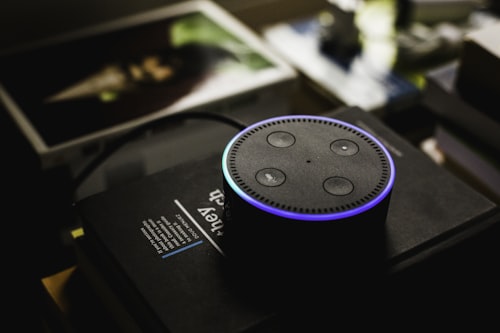
Home music library - Photo by Noom Peerapong on Unsplash

Photo by Noom Peerapong on Unsplash


Plex Media Server

Screenshot courtesy of Plex

Plex

Plex for Alexa


Plex is a well-known all-in-one media server platform that has long offered an Alexa skill as a companion feature. The Plex for Alexa skill allows users to control music and some limited media playback via Alexa voice commands on Echo devices.

While the Plex platform itself remains active and popular for video and music management, the Alexa integration was never a core focus for the company. Support and feature development for the Alexa skill has been minimal in recent years, and the feature is expected to be deprecated in June 2026.

Deprecation Notice: Plex for Alexa is being discontinued in June 2026. Current users should plan to migrate to an alternative Alexa skill for personal media playback.

Limitations

  • No support for audiobooks or podcasts via Alexa
  • No multiroom audio via Alexa speaker groups
  • Feature development stalled in recent years
  • Now being deprecated - no future updates expected
Migrate

Switching from Plex to My Media


Migrating from Plex for Alexa to My Media for Alexa is straightforward. Your actual media files stay exactly where they are - My Media simply points to the same folders on your machine or NAS. You do not need to re-encode, move, or re-tag anything.

Step 1 - Download

Download and install the My Media server on the same machine (or NAS / Pi) where your media library lives. Windows, Linux and Docker builds are available.

Step 2 - Point to Your Library

In the My Media server settings, add your existing music, audiobook and podcast folder paths. My Media will index them automatically - no re-organisation needed.

Step 3 - Enable the Skill

Enable the My Media skill in the Alexa app, link your account, and you're done. Say "Alexa, ask My Media to play..." and enjoy your library immediately.

Most users complete the migration in under 15 minutes. If you hit any snags, our support documentation covers the most common scenarios in detail.

Download My Media View Voice Commands

Ready to make the switch?

Don't wait until Plex for Alexa is gone. Download My Media today and keep your personal library accessible by voice - with the reliability of an Alexa+ certified skill.

Contact Us

Contact Us